
XBIT Registration and Usage Guide
Got an internal beta code? Follow the steps below to start claiming beginner benefits



What is XBIT?
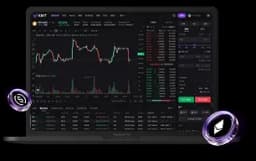
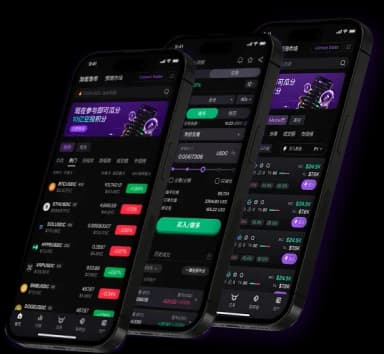
A multi-asset trading terminal and all-in-one trading platform
Meme Tokens
Perpetuals
On-chain Spot

Option A
Download the XBIT App
Visit https://xbit.com/ to download

Option B
Use the web version
Visit https://app.xbit.com/

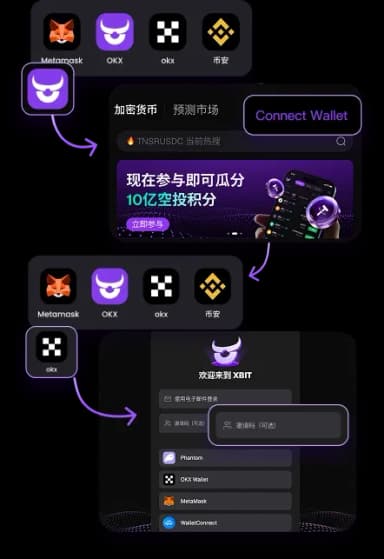
1. Open XBIT
2. Tap "Connect Wallet"
3. Choose your wallet (OKX Wallet)
4. Complete verification as prompted
Enter your internal beta code to register successfully

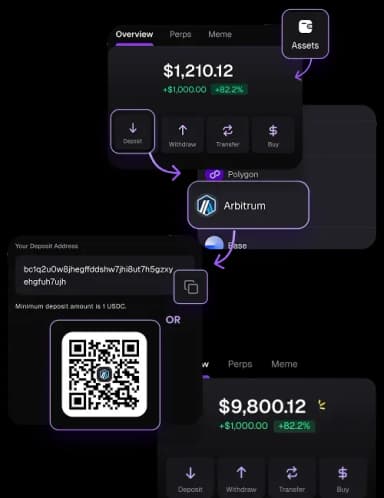
Deposit Steps:
1. Click "Deposit", select network: Arbitrum
2. Scan QR code or copy wallet address
3. Send USDC from your wallet
4. Auto receive funds, credited to trading account

After depositing, you can start trading immediately!
Choose the assets you are interested in:
Real-time Meme token trading
Perpetual contracts
On-chain spot market
🙋FAQ
What is the minimum deposit amount?
Any amount qualifies for the campaign, no minimum deposit required.
Which token should I deposit first?
We recommend starting with USDC or USDT.
How are fees calculated?
Please refer to the official XBIT fee schedule.
⚠️ Friendly Reminder
- Keep your private key / seed phrase safe
- Ensure you are using the Arbitrum network
- Be aware of trading risks and invest responsibly
- Consider starting with a small amount
Important Links
XBIT Official Website: https://xbit.com/


After completing registration and deposit
you can participate in the newbie gift package event!